Best Budget Android Phones Under $300
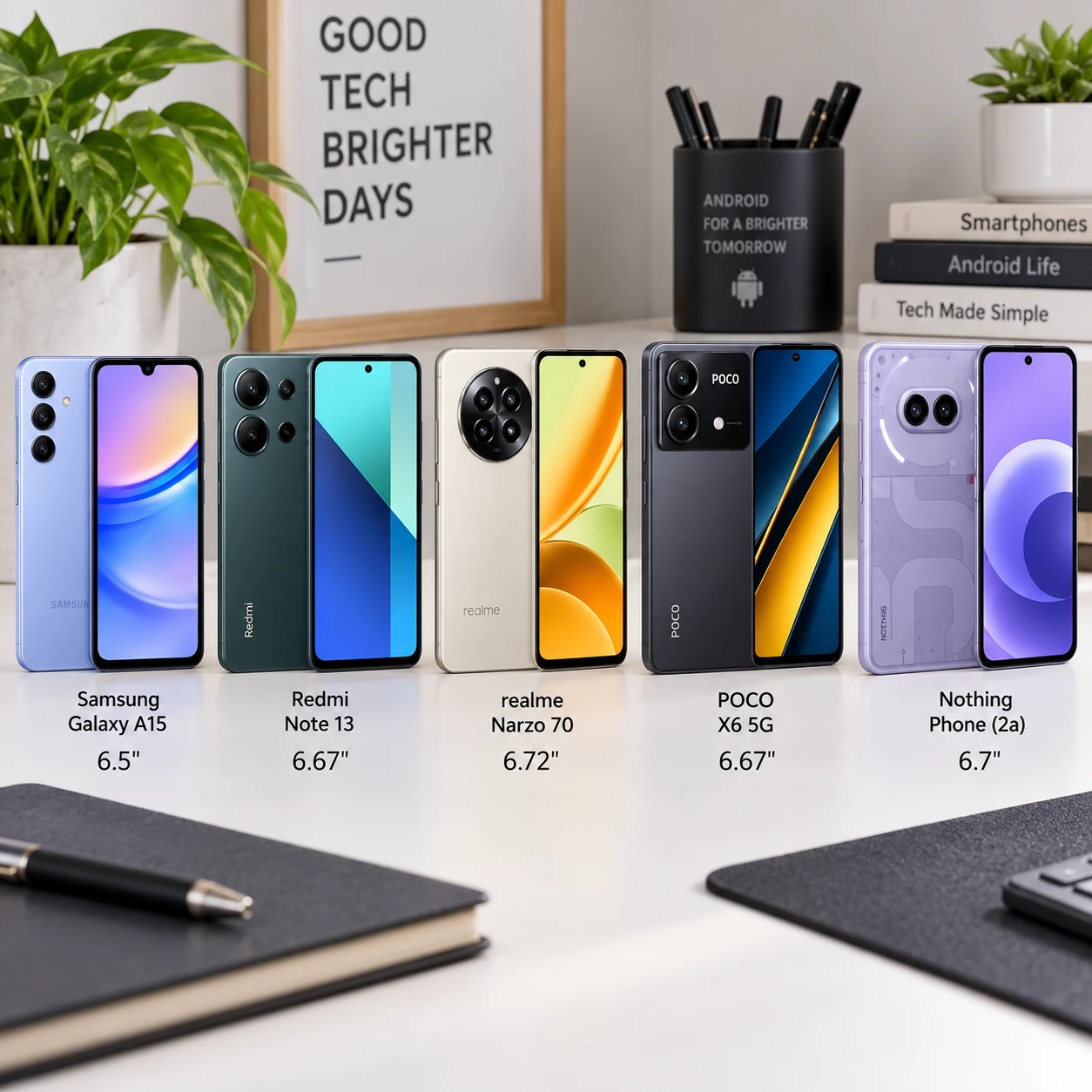
Finding the best budget Android phone under $300 means choosing which compromises you can live with. A good pick can handle messaging, maps, streaming, and everyday photos comfortably, but display quality, camera consistency, charging speed, and software support vary widely.
Prices and availability change, so treat the models below as a shortlist rather than a promise that every configuration will always cost less than $300. Check the exact price, storage, carrier compatibility, and update policy before buying, especially for unlocked phones or discounted older models.
Quick Picks: Our Top Phones at a Glance
The best phone under $300 depends on your priority: the Samsung Galaxy A-series is a strong all-round option, the Motorola Moto G Power line often emphasizes battery life, and Google’s Pixel A-series can be compelling when a model falls below the price cap. Compare the current model and price before choosing.
- Best all-rounder: A Samsung Galaxy A-series model within budget, for a balanced display, useful features, and a familiar software experience.
- Best for battery: A Moto G Power model, especially if long use between charges matters more than camera quality or long update support.
- Best camera deal: A discounted Google Pixel A-series phone, if a new or reputable refurbished unit is under $300 and its remaining update period suits you.
- Best value on sale: A recent unlocked 5G phone with at least 128GB of storage, provided it receives security updates and works with your carrier.
These are product families, not interchangeable specifications. Names, regional versions, memory configurations, and support timelines change from year to year. Confirm the exact device rather than assuming every Galaxy A, Moto G Power, or Pixel A model shares the same hardware.
Best Budget Android Phones Under $300
Under-$300 Android phones are best judged by their balance of screen, battery, camera, performance, and support. These models and families are worth comparing when their current price and configuration fit your budget.
Samsung Galaxy A-series: Best for a balanced experience
Samsung’s lower-priced Galaxy A phones are sensible everyday choices when you want an AMOLED display, if the specific model includes one, and a broad set of familiar features. Some models use LCD panels instead, so check the product listing. AMOLED usually gives you deeper blacks and stronger contrast; LCD can still look clear and readable, particularly outdoors.
Expect dependable performance for calls, browsing, video, and common apps, rather than high-end gaming. Camera results also depend on the exact model: multiple lenses do not guarantee better photos, and low-light shots may show more blur or noise than a flagship’s. Check Samsung’s published update information for the precise device before purchase.
Motorola Moto G Power: Best for battery life
A Moto G Power model is aimed at people who value a large battery and a practical screen. Depending on generation, it may offer 5G and a high-refresh-rate LCD, but those features are not universal across the line. The payoff is fewer charging stops for many everyday users; the trade-offs can include slower charging, less consistent cameras, and a shorter or less predictable support window than pricier phones.
Check both the battery capacity and independent real-world reviews for the exact version. Battery life varies with screen brightness, mobile signal, gaming, and background apps. A big battery cannot compensate for a weak signal all day, and charging speed still matters if you often have only a short time to plug in.
Google Pixel A-series: Best camera option on a discount
A Pixel A-series phone can be a strong camera buy when a recent model drops below $300. Google’s image processing often helps produce pleasing everyday photos without much effort, but a discounted older phone may have less remaining software support. Confirm the model’s original release date, update end date, condition, and seller before you buy.
Pixel A-series prices can fluctuate, so do not treat a higher-priced current model as a recommendation within this budget. If the phone costs more than $300, wait for a sale or consider a reputable refurbished device only after checking its battery health, return policy, and warranty.
Other unlocked 5G models: Compare the details
Brands such as OnePlus and TCL also sell lower-cost Android phones in some markets. Their value depends on the exact model, local availability, and update commitment. For any phone in this category, prioritize a clear update policy, sufficient RAM for your use, and at least 128GB of storage if you keep photos, videos, or offline downloads.
How to Choose a Phone Under $300
To choose a phone under $300, check compatibility and support first, then compare screen, storage, battery, camera, and performance. This order helps you avoid a tempting discount on a phone that cannot reliably serve you for the next few years.
- Confirm network compatibility. An unlocked phone may work across carriers, but not every model supports every carrier’s bands or features. Check the carrier’s compatibility tool, including 5G support, before ordering.
- Look up software support. Find the manufacturer’s stated Android version and security update policy for the exact model. A low purchase price becomes less attractive if support is nearly over.
- Choose enough storage. 128GB is a useful target for many people. A 64GB phone can fill quickly with apps, photos, and downloaded media; expandable storage helps only if the device has a microSD slot.
- Match the display to your habits. AMOLED is appealing for contrast and rich colors. LCD can be perfectly serviceable. Also consider screen brightness and refresh rate, not just panel type.
- Check RAM and processor reviews. More RAM can help with switching between apps, but the processor and software tuning matter too. Read tests that reflect real use rather than relying on a single spec.
- Consider charging alongside battery size. A large battery is useful, but slow charging may frustrate you. Check whether a charger is included and what charging standard the phone supports.
For camera shoppers, look for sample photos from the exact device, including indoor and night scenes. Megapixel counts and extra camera lenses tell only part of the story. Image processing, focus speed, and stabilization often matter more in everyday use.
What to Expect at This Price
At under $300, expect a capable phone for everyday tasks, with compromises in demanding games, low-light photography, charging, or long-term support. Budget Android phones can be reliable, but their specifications rarely excel in every category at once.
- Performance: Social apps, video, navigation, and web browsing are generally realistic targets. Heavy games may require lower graphics settings, and cheaper processors can feel slower over time.
- Cameras: Daylight photos can look good, while indoor action and night scenes are more challenging. Secondary macro or depth cameras may add less value than a capable main camera.
- Build: Plastic frames and backs are common. They can be durable and light, but water resistance and premium materials are less consistent. A case is a practical safeguard.
- 5G and connectivity: 5G is available on many budget models, but coverage depends on your carrier, location, and supported bands. It is not a guarantee of faster service everywhere.
- Updates: Support differs substantially by manufacturer and model. A phone with a longer, clearly stated update commitment may be a better value than one with a slightly faster processor.
One common mistake is buying by headline specifications alone. A 120Hz screen or a high megapixel count may look impressive, but an older processor, limited storage, or short update support can matter more in daily use. Verify the full model number and configuration before checkout.
Best Picks by Priority
The best budget Android phone changes with your main priority: choose a Moto G Power-style model for battery, a discounted Pixel A-series for photos, and a Galaxy A-series phone for a balanced feature set. Keep the exact model’s price and update policy in view.
- For battery life: Compare Moto G Power versions and independent battery tests. Favor a model with a large battery, but check charging speed and whether the screen or processor drains it quickly.
- For photography: Look for a discounted Pixel A-series model under $300, then compare sample images. If none fits your budget, choose a recent phone with strong main-camera reviews rather than the most lenses.
- For a cleaner software experience: Compare the interface, preinstalled apps, and update commitment of specific models. Do not assume every phone from a brand offers the same update duration.
- For media and reading: Favor a bright, sharp display and enough storage for downloads. AMOLED is a bonus, not a substitute for readable outdoor brightness.
- For 5G value: Choose an unlocked model only after checking carrier compatibility. If your area has limited 5G coverage, a stronger overall phone may be a better use of the budget.
There is no universal winner. Prioritizing one feature usually means accepting a compromise elsewhere: a bigger battery may come with a heavier body, while a camera-focused older phone may have less time left for updates.
How We Evaluate Budget Phones
We evaluate budget phones by how well they handle common tasks, how long they are likely to remain useful, and whether their price matches their compromises. A spec sheet starts the comparison; hands-on usability and the exact sale price determine the value.
Our comparison framework uses five checks: fit, feel, function, longevity, and cost. Fit covers carrier compatibility and size; feel includes display readability and comfort; function looks at camera, battery, charging, and everyday speed; longevity weighs storage, build, and software updates; cost compares the phone’s current price with alternatives.
We also distinguish verified product details from general expectations. Model-specific claims should be checked against the manufacturer’s product page and support policy, while camera and battery judgments should come from tests of that particular version. A phone’s listed capacity or refresh rate does not by itself prove a better real-world experience.
Finally, we consider who should skip each pick. A budget phone may be a poor choice for demanding mobile games, frequent night photography, or someone who needs long update support. That does not make it a bad phone; it means the value depends on the job you need it to do.
Frequently Asked Questions
Are budget Android phones under $300 good for everyday use?
Yes. Most recent models can handle messaging, browsing, video, maps, and everyday apps. Expect slower performance in demanding games and check storage and software support before buying.
Can you get a good camera phone for under $300?
Yes, especially when a Google Pixel A-series phone is discounted below $300. Compare real photo samples and make sure the model’s remaining update support and condition meet your needs.
Should you buy an unlocked phone or one through a carrier?
An unlocked phone gives you more flexibility to switch carriers, but compatibility is not automatic. Confirm supported network bands and features with your carrier. A carrier deal may lower the upfront price, though activation terms or monthly credits can affect the total cost.
How long do budget Android phones receive software updates?
There is no single timeline for all budget Android phones. Update support varies by manufacturer, model, and release date, so check the official policy for the exact device. When comparing two similar phones, longer stated security support can be more valuable than a small hardware advantage.